 Toddler's Galaxy
Letters, numbers, shapes and dinosaurs, in one app for ages 2–6.
29 worlds to explore at your little one's pace. No ads and no trackers. Try it free for 7 days with Google sign-in — no card needed.
Or play free for 24 hours, no sign-in.
- No ads
- No trackers
- No card for the trial
- Pay once, no auto-renewal


- 29learning worlds
- 22mini-games
- 0ads
- 1 passfor every child

See it in 38 seconds
A quick look at what your child sees: the home screen, letter sounds and tracing, counting, pattern puzzles and the sticker book they fill as they play.
The video plays from YouTube. Nothing loads from YouTube until you press play. Our YouTube channel
From ABCs to dinosaurs to flags of the world
Most worlds have several games to play — tap-and-learn cards, quizzes, memory, balloon pop, tracing and more. There are storybooks and nursery rhymes too, and flags and capitals of the world's countries.
-
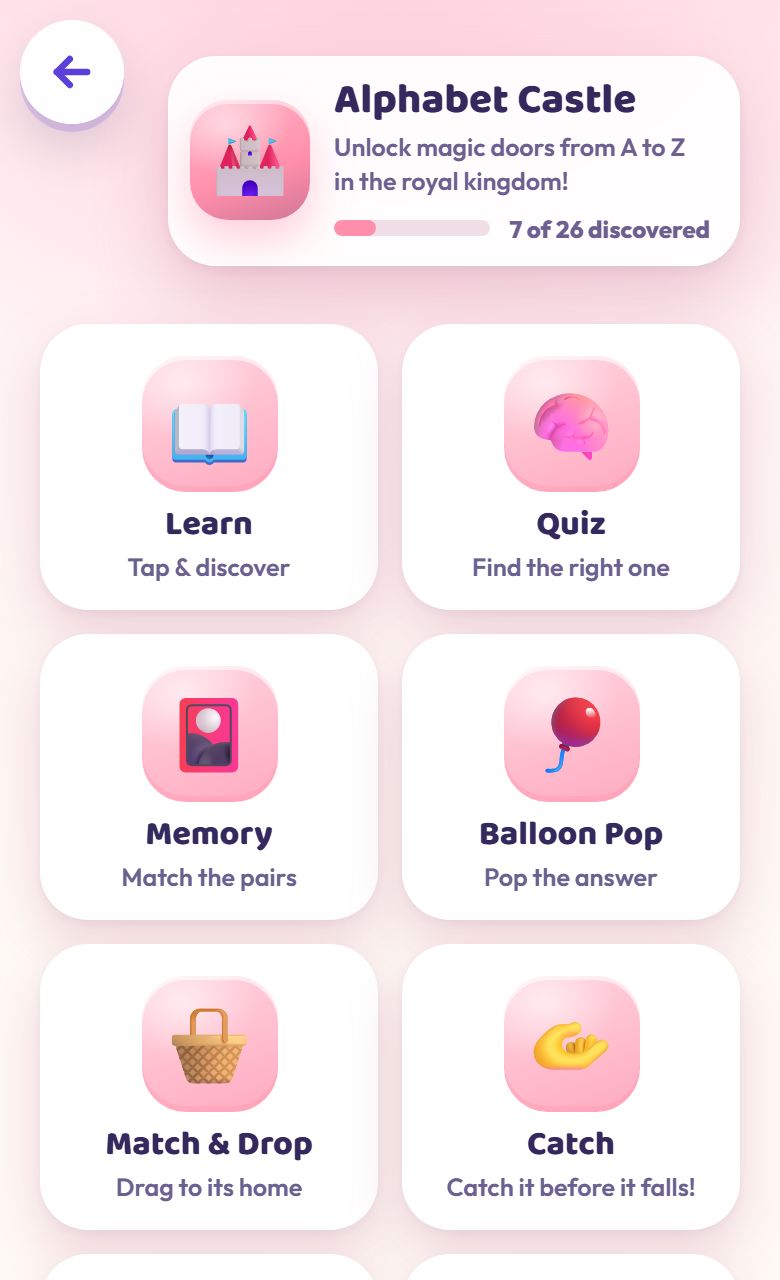
29 learning worlds
Letters, numbers, colours, shapes, animals, space, feelings and more, each world with its own set of games.
-
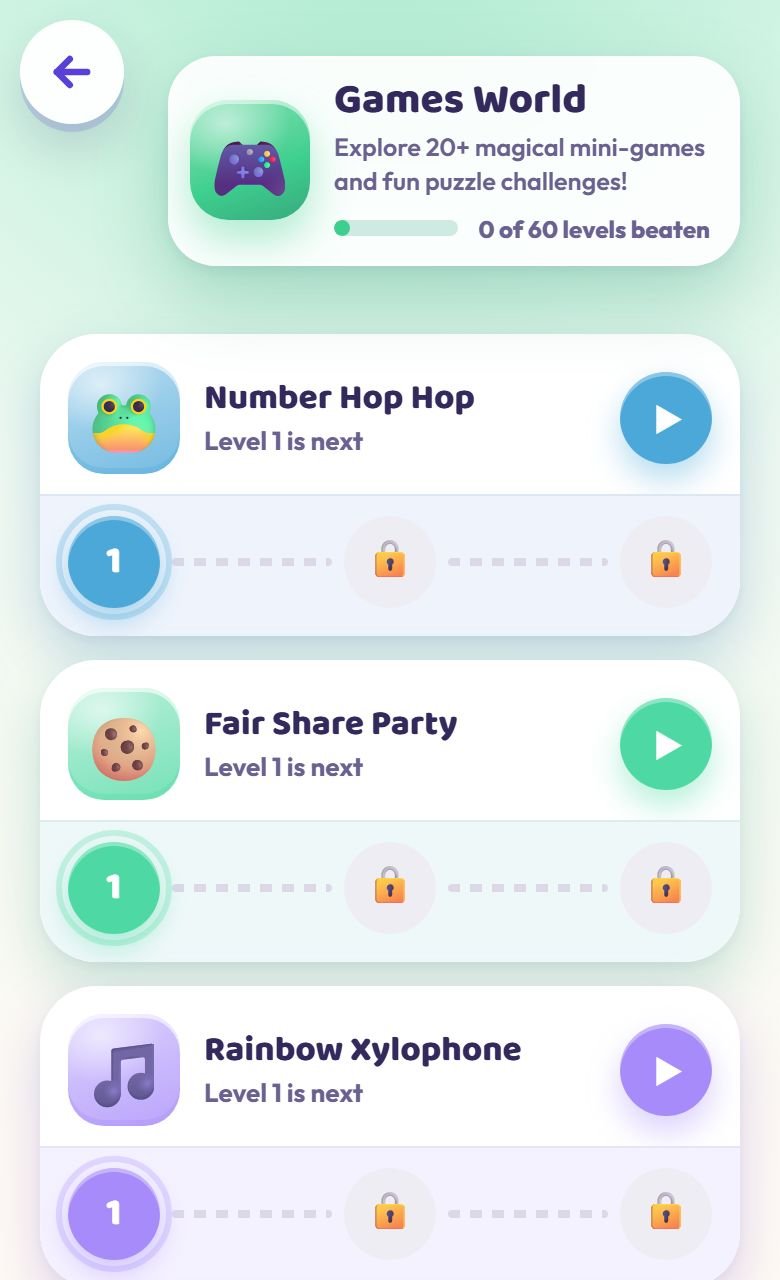
22 mini-games
Counting, sharing, patterns, mazes and music, each with levels to beat.
-
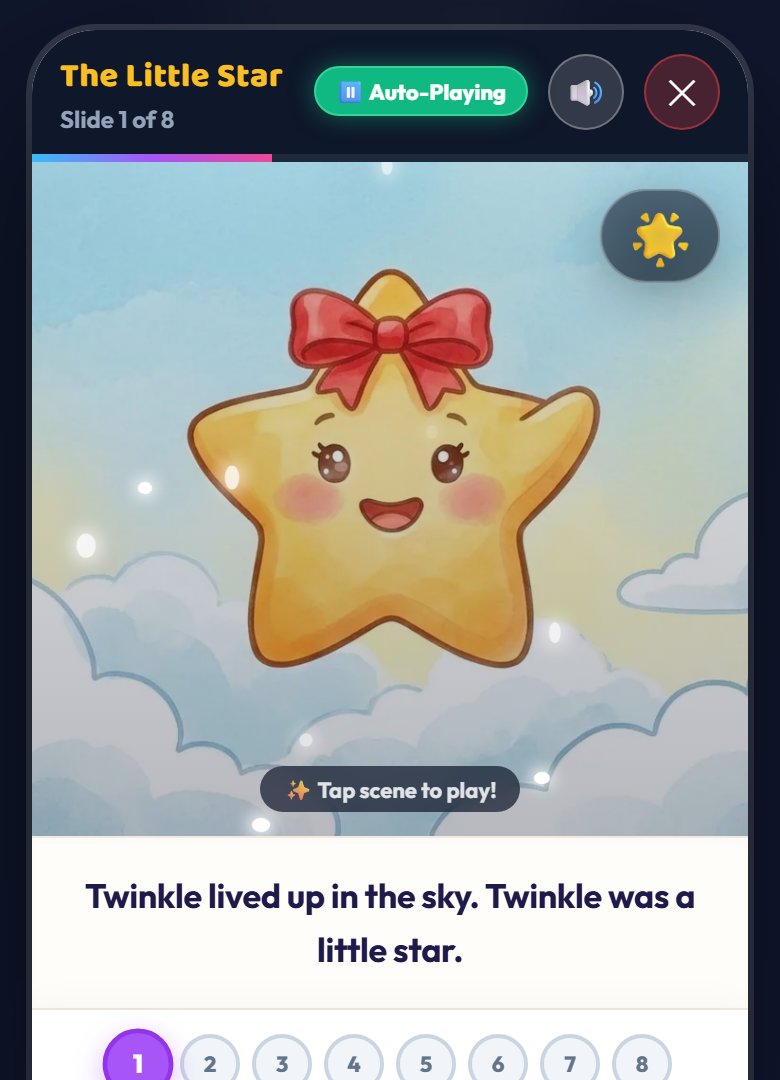
Read aloud
Twinkle reads the instructions and the praise aloud, so pre-readers can follow along. There are storybooks and nursery rhymes too.
-
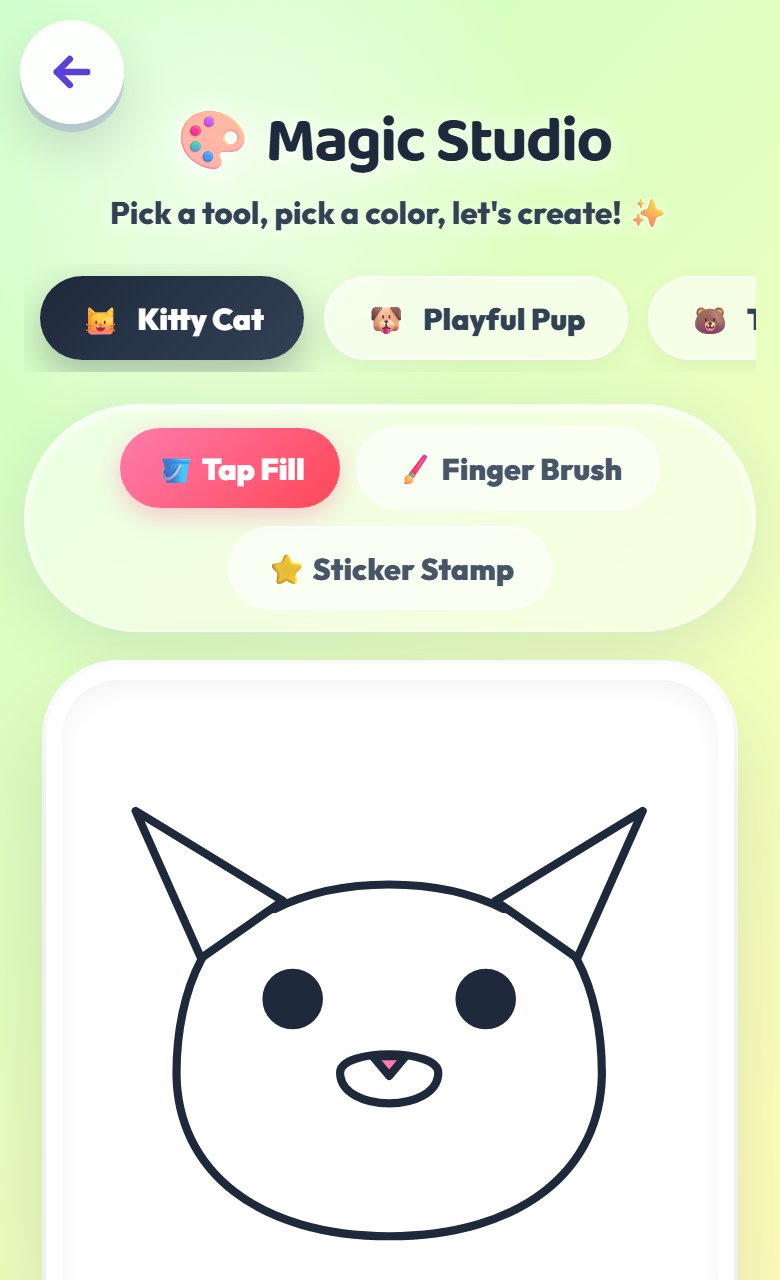
Studios
A colouring studio, a sticker scene and a phonics speller.
-
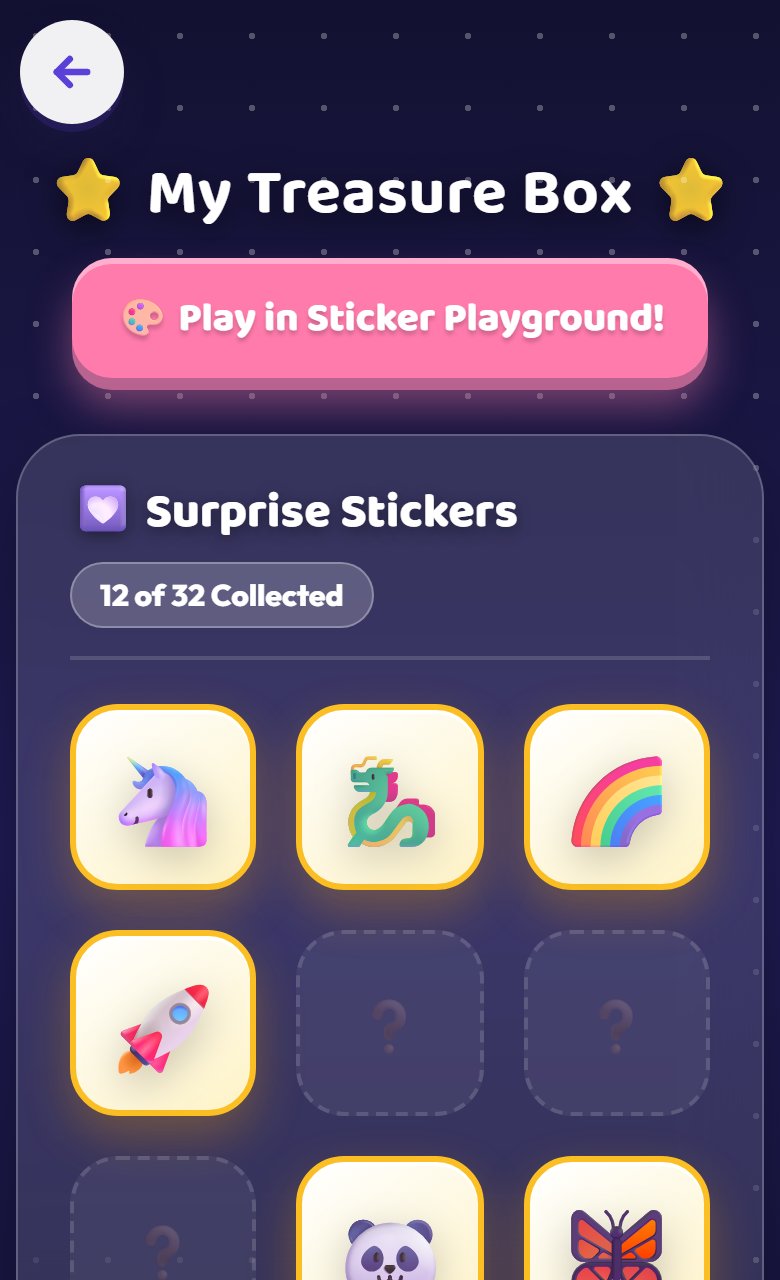
Stars and stickers
Stars, stickers and badges to collect as they play.
-
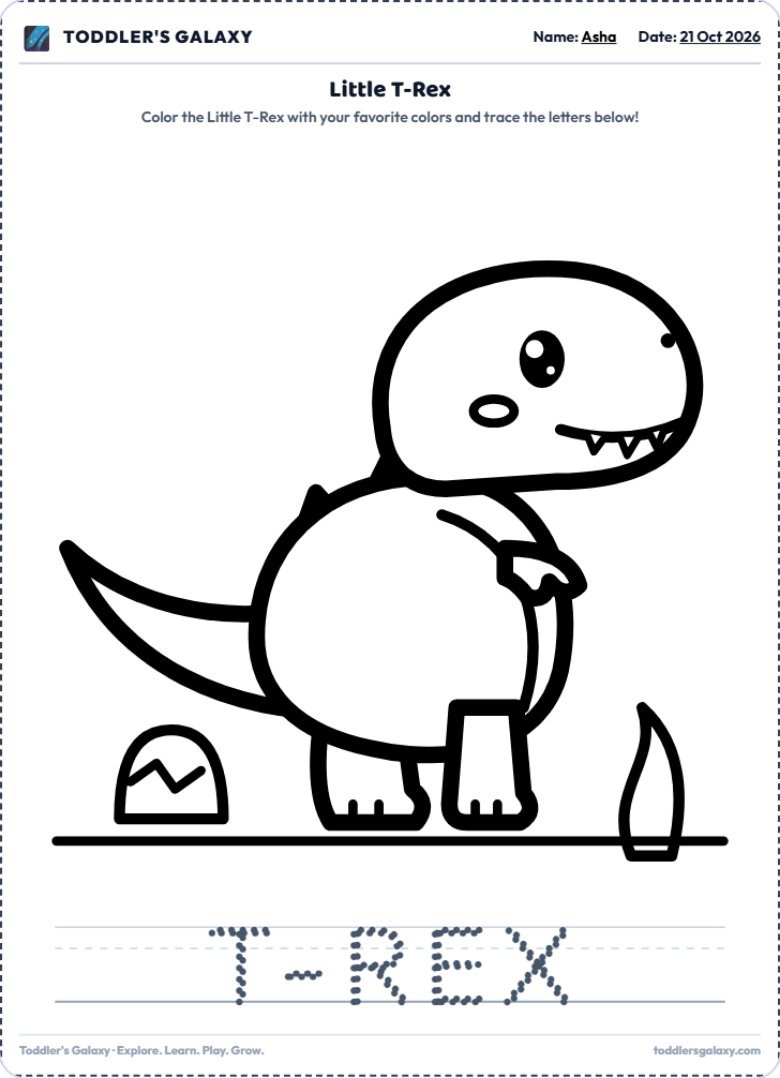
Printables
Colouring, tracing, counting and matching sheets, for play away from the screen.


Every world inside
- Alphabet Castle
- Number Island
- Rainbow Kingdom
- Shape Mountain
- Safari Adventure
- Fruit Forest
- Veggies
- Adventure Garage
- Birds
- Flower Garden
- Underwater Kingdom
- Dinosaurs
- Galaxy Explorer
- Weather
- Seasons
- Friendly Hospital
- Good Habits
- Feelings
- Music
- Rhymes
- Stories
- Days of Week
- Months of Year
- Opposites
- My Daily Routine
- Little Heroes
- Feelings & Smiles
What your child practises
Every game asks your child to do something specific. Here is what they practise, and where.
Letter sounds
Hear each letter's sound with its keyword ("A says a, A is for apple"), then build short words letter by letter.
Alphabet Castle · Phonics Speller · First Sound HuntCounting and numbers
Count the things on screen and pick the number, hop through numbers in order, and share treats out fairly.
Number Island · Number Hop Hop · Fair Share PartyShapes and colours
Find and drag the shape or colour that's asked for, like "the red star".
Shape Mountain · Rainbow Kingdom · Match & DropMemory and matching
Turn over cards to find pairs, match animals to their shadows, and spot the one that doesn't belong.
Memory · Match the Pairs · Whose Shadow? · Odd One OutListening and sequencing
Repeat a pattern of lights, tap what they hear, say what comes next on the pattern train, and line things up from smallest to biggest.
Echo Lights · Listen & Find · Pattern Train Builder · Small to BigTracing
Trace letters, numbers and shapes with a finger, following the guide.
Tracing games · printable sheetsFeelings
Name how a character feels in short everyday stories, and explore feelings words.
Feelings · Feelings & Smiles · How Do They Feel?Where things are
Find a friend who is under, on top of or behind something.
Where Is It?
The Parent Corner shows which worlds each child has explored, with their stars, games finished and play time. It shows what they've tried, not test scores.
Try everything before you pay anything
Play free for 24 hours
Open the app and every world is unlocked on that device. No sign-in, no details.
Then 7 days free
A grown-up signs in with Google for a 7-day free trial. No card is needed, and nothing is charged when it ends.
Pay once if you love it
Choose a 3, 6 or 12-month pass. It's a one-time payment that never renews automatically.
If you don't buy a pass, a handful of worlds are always free.
Pay once. No auto-renewal.
Prices in India, including GST.
-
3 Months
₹299
One-time payment · no auto-renewal
90 days of every world
-
Most Popular
6 Months
₹499
One-time payment · no auto-renewal
180 days of every world
-
Best Value
12 Months
₹799
One-time payment · no auto-renewal
365 days of every world
- One-time payment — you're never charged again automatically.
- One pass covers every child profile.
- Use it on every device where you sign in.
- Not happy? Full refund within 7 days of payment.
- Buying while days remain adds the new days on top.
- Payments are handled securely by Razorpay. We never see your card, UPI or bank details.

You decide how it fits your day
Everything for grown-ups lives in the Parent Corner.
- A daily screen-time limitSet it in 15-minute steps, up to 4 hours. When it's reached, a calm "time for a break" screen appears.
- A profile for each childEach keeps their own stars, streak and sticker book.
- Games that suit their ageSet your child's age. Younger children get fewer choices, slower games and more time before a hint.
- See what they've exploredWhich worlds each child has visited, with their stars, games finished and play time.
- A grown-ups gateSettings, sign-in and purchases sit behind a question only an adult can answer.
Your child's play stays on your device
We collect as little as we can, and we explain exactly what in our privacy policy.
- No adsThere are no ads anywhere in the app.
- No trackersNo advertising or analytics trackers.
- On your deviceYour child's name, progress and play time are never sent to our servers.
- No profilingNo tracking or profiling of children.
- Never soldWe never sell or rent personal data.
- Adults onlyOnly a grown-up signs in. Your child never needs an account.
Good to know
Do I need to sign in?
Not to start. Everything is unlocked for 24 hours on a device with no sign-in. To get the 7-day free trial, a grown-up signs in with Google. One trial per Google account.
What happens after the 7 days?
Nothing is charged — there's no card on file. A handful of worlds stay free, and you can buy a 3, 6 or 12-month pass if you'd like to keep every world.
Is it a subscription?
No. Each pass is a one-time payment for a fixed period and never renews automatically, so there's nothing to cancel. When a pass ends there are 3 extra days of full access, then the free worlds stay open.
What if it isn't right for us?
Try it free first. If you buy a pass, you can ask for a full refund within 7 days of payment. See our refund policy.
I have more than one child.
Add a profile for each child — each keeps their own stars, streak and sticker book — and one pass covers them all.
How do I open it?
It runs in your web browser at toddlersgalaxy.com. Add it to your home screen and it opens like an app.
Ready to take a look?
7 days free with Google sign-in. No card needed. Nothing charged when it ends.